Smart heating – how to do it depending on what heats your home

Well-tuned heating raises comfort and lowers costs – and it can even rescue a badly designed system where one room is always cold. How to do it depends mainly on the heat source: district heating and room heaters are the easiest to automate, your own boiler is the tricky one, because you have to control it too. Below is how I do it at home: temperatures from an ESP over LAN cables, 230 V thermal actuators on relays, the boiler on an ESP relay, all driven by virtual thermostats in HA. Automations and an open-window blueprint included.
Well-tuned heating makes a huge difference to comfort at home and can lower costs at the same time. Smart control can also fix badly designed heating – for example when one of the rooms never gets warm enough.
The key question to start with: what actually heats your home?
| Heat source | Example | Difficulty |
|---|---|---|
| 1. External central source | shared boiler room in a block of flats, district heating | easiest |
| 2. Your own central source | your own gas boiler, heat pump | a bit tricky |
| 3. Local source in the room | electric underfloor heating, electric radiators, air conditioning | easy |
Options one and three are the easiest to automate. With the second one you have to control the source itself – and that's the tricky part.
Let's go step by step.
1. External central source – smart radiator heads are enough
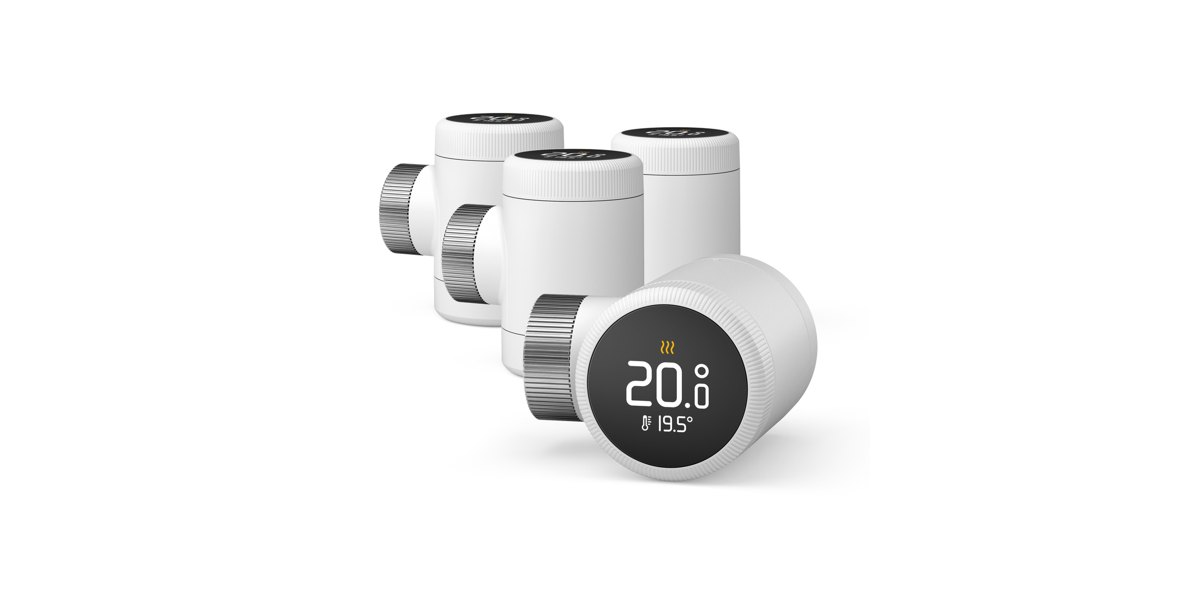
Heat "arrives" from the boiler room and all you decide is how much of it goes into the radiator. Fit smart thermostatic radiator heads and you can control the room temperature remotely and with your own logic – schedules, presence, open windows.
There are a few buts:
- Temperature measured at the head is skewed. The sensor sits right next to the radiator, i.e. next to the heat source – the head thinks the room is warmer than it really is. Look for heads that can work with an external temperature sensor placed in the room.
- Watch out for cheap heads. Their batteries often don't last long and above all they tend to be quite noisy – you'll hear the motor in the bedroom at night.
2. Your own central source – boiler, valves and temperature
This is more complicated. Two rules apply at once:
- the boiler has to run whenever at least one room wants heat,
- rooms that don't want heat must stay closed meanwhile – otherwise the boiler heats them too.
You need three things for that.
Controlling the boiler from Home Assistant
Most boilers have terminals for an external ON/OFF thermostat. That's where your smart relay goes. Then set the original room thermostat to a higher temperature so it doesn't get in the way, and your relay alone switches heating on and off.
Why not simply replace the original thermostat? It often does other jobs too – boiler settings, hot water, weather compensation. Without it the boiler might not work properly.
Controlling radiators in the rooms
Two options:
- Smart heads – same as in option 1, but used at their extremes (fully open / fully closed) so they behave like an ON/OFF valve.
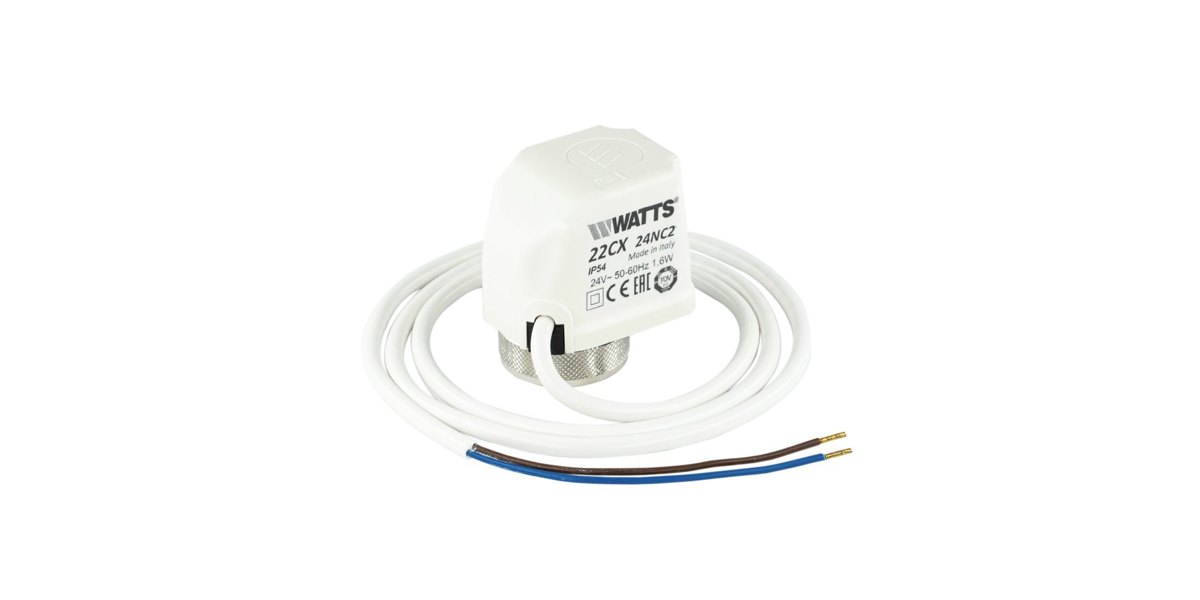
- Thermoelectric actuators – if you have wiring to the radiators or an underfloor manifold. The actuator replaces the head on the valve; with power the valve opens, without power it closes. You switch it with a smart plug or relay. One actuator costs under €20 and is completely silent.
Measuring temperature in the right place
Battery or wired sensor – doesn't matter. Two things do:
- the sensor reports changes continuously (not once every 10 minutes),
- it's in the right place – not next to the radiator, not in the sun, not by the door, ideally mid-room at the height where you spend time.
Once you have all three, you can start controlling.
The logic: virtual thermostats + one automation
The logic is simple:
- For each room create a virtual thermostat in HA (the Generic thermostat helper) that pairs the radiator valve (relay/plug) with the temperature sensor. The thermostat opens and closes the valve according to the target temperature.
- One automation watches all thermostats. When at least one is heating (
hvac_action: heating), it turns the boiler on. When none is heating any more, it turns the boiler off.
Create the Generic thermostat in Settings → Devices & services → Helpers → Create helper → Generic thermostat. Key parameters:
- Heater switch – the actuator relay in the room,
- Temperature sensor – the room thermometer,
- Cold / hot tolerance – hysteresis, how far the temperature may drop below and rise above the target before the thermostat switches,
- Minimum cycle duration – how long the valve must stay in one state.
Automation: boiler by thermostats
This is my automation that turns the boiler on and off. Besides thermostat changes it also runs every 30 minutes and after HA starts – as a safety net in case a change gets lost.
alias: Kúrenie – kotol podľa termostatov
description: The boiler runs when at least one room is heating.
triggers:
  - trigger: state
    entity_id:
      - climate.spalna_termostat
      - climate.pracovna_termostat
      - climate.jakub_termostat
      - climate.martin_termostat
      - climate.kuchyna_termostat
    attribute: hvac_action
  - trigger: time_pattern
    minutes: /30
  - trigger: homeassistant
    event: start
conditions: []
actions:
  - if:
      - condition: or
        conditions:
          - condition: state
            entity_id: climate.spalna_termostat
            attribute: hvac_action
            state: heating
          - condition: state
            entity_id: climate.martin_termostat
            attribute: hvac_action
            state: heating
          - condition: state
            entity_id: climate.jakub_termostat
            attribute: hvac_action
            state: heating
          - condition: state
            entity_id: climate.kuchyna_termostat
            attribute: hvac_action
            state: heating
          - condition: state
            entity_id: climate.pracovna_termostat
            attribute: hvac_action
            state: heating
    then:
      - action: switch.turn_on
        target:
          entity_id: switch.kurenie_kotol
    else:
      - action: switch.turn_off
        target:
          entity_id: switch.kurenie_kotol
mode: single
My entities are named in Slovak (spalna = bedroom, pracovna = study, kuchyna = kitchen, kurenie_kotol = heating boiler) – just replace them with yours.
Automation: top up rooms when the boiler starts
This is the "heat together" tip in practice. When the boiler turns on, the automation goes through all rooms in heat mode and opens the valve where the temperature is below target + 0.2 °C – rooms that would ask for heat soon anyway. The thermostat then finishes heating them and closes the valve itself once it reaches its upper tolerance.
It works because generic thermostat leaves a valve that's already on switched on until the room is warm enough. No need to change targets or restore anything. The 10-second delay at the start gives the boiler and thermostats a moment to settle.
alias: Kúrenie – prikúrenie izieb pri štarte kotla
description: >-
  When the boiler starts, open the valve only in rooms in heat mode that are
  just short of their target. Generic thermostat finishes them and turns off.
triggers:
  - trigger: state
    entity_id: switch.kurenie_kotol
    from: "off"
    to: "on"
conditions: []
actions:
  - delay:
      seconds: 10
  - if:
      - condition: state
        entity_id: climate.spalna_termostat
        state: heat
      - condition: template
        value_template: >-
          {{ state_attr('climate.spalna_termostat', 'current_temperature') | float(99)
             < state_attr('climate.spalna_termostat', 'temperature') | float(0) + 0.2 }}
    then:
      - action: switch.turn_on
        target:
          entity_id: switch.spalna_ventil
  - if:
      - condition: state
        entity_id: climate.martin_termostat
        state: heat
      - condition: template
        value_template: >-
          {{ state_attr('climate.martin_termostat', 'current_temperature') | float(99)
             < state_attr('climate.martin_termostat', 'temperature') | float(0) + 0.2 }}
    then:
      - action: switch.turn_on
        target:
          entity_id: switch.martin_ventil
  - if:
      - condition: state
        entity_id: climate.jakub_termostat
        state: heat
      - condition: template
        value_template: >-
          {{ state_attr('climate.jakub_termostat', 'current_temperature') | float(99)
             < state_attr('climate.jakub_termostat', 'temperature') | float(0) + 0.2 }}
    then:
      - action: switch.turn_on
        target:
          entity_id: switch.jakub_ventil
  - if:
      - condition: state
        entity_id: climate.pracovna_termostat
        state: heat
      - condition: template
        value_template: >-
          {{ state_attr('climate.pracovna_termostat', 'current_temperature') | float(99)
             < state_attr('climate.pracovna_termostat', 'temperature') | float(0) + 0.2 }}
    then:
      - action: switch.turn_on
        target:
          entity_id: switch.pracovna_ventil
  - if:
      - condition: state
        entity_id: climate.kuchyna_termostat
        state: heat
      - condition: template
        value_template: >-
          {{ state_attr('climate.kuchyna_termostat', 'current_temperature') | float(99)
             < state_attr('climate.kuchyna_termostat', 'temperature') | float(0) + 0.2 }}
    then:
      - action: switch.turn_on
        target:
          entity_id: switch.kuchyna_ventil
mode: singleBlueprint: an open window turns off heating in the room
Heating the street makes no sense. I use a blueprint for this – one automation = one room:
- window open for more than 2 minutes → the room thermostat turns off,
- window closed for more than 10 minutes → the thermostat goes back to heating,
- after HA starts it turns the thermostat off if the window is open right now.
It won't turn heating back on after the window closes if you switched the thermostat off by hand (from the dashboard or app) – so closing a window in summer won't start the heating. Both times are configurable in the blueprint.
A thermostat that's off stops reporting heating, so if it was the last heating room, the boiler turns off too – the first automation takes care of that.
Import the blueprint into Home Assistant · source code on GitHub
The blueprint's labels are in Slovak (Okno = window, Termostat = thermostat, the two times = off after opening / on after closing).
My heating at home
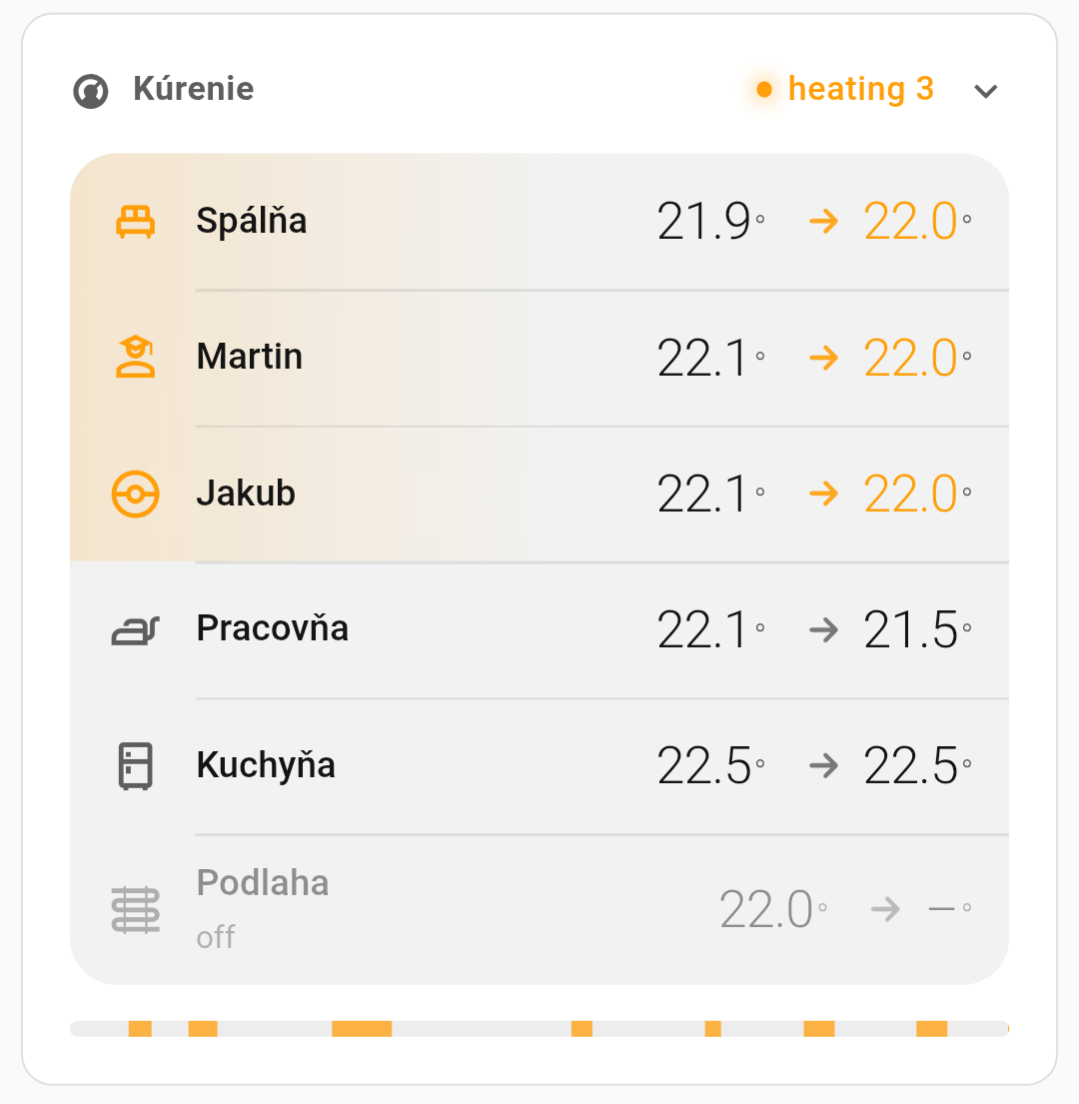
This is the thermostat card on my dashboard (Slovak UI) – it's igy-thermostat-card from my card bundle Igy Cards (install via HACS). You can see at a glance which rooms are heating right now (orange), their temperature and the target. The orange strip at the bottom shows when heating ran in the last 24 hours. The card can also warn about an open window.
type: custom:igy-thermostat-card
title: Heating
entities:
  - entity: climate.bedroom_thermostat
    window: binary_sensor.bedroom_window
- entity: climate.kids_room_thermostat3. Local heating – a thermostat, or a sensor + plug
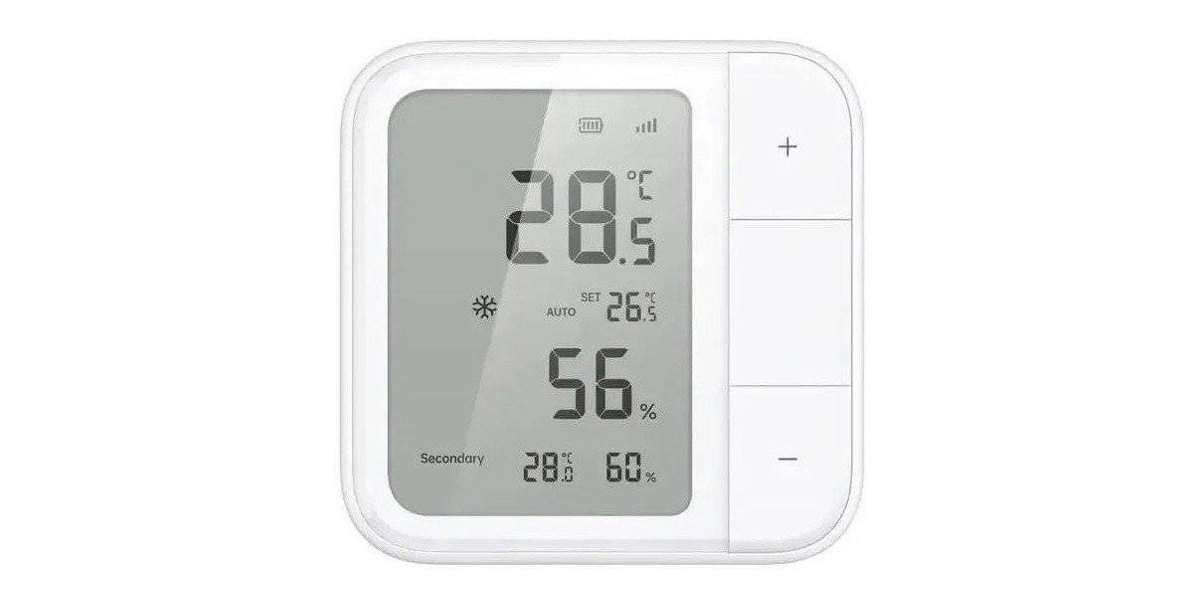
Probably the easiest option. Buy a suitable smart thermostat and connect it to the heat source. Or combine a temperature sensor with a smart plug – for an electric radiator, for example – and tie them together with a virtual thermostat as in option 2. Everything else applies: sensor in the right place, sensible hysteresis, open window turns heating off.
If you heat with air conditioning, you first need to get it into HA. Newer units do it through a WiFi integration, older ones can be brought back to life with an ESP – that's how my old Samsung unit is connected (more in ESP32 – my projects, a guide is coming soon). Then the same applies as above.
Wrapping up
- Start with the heat source – it decides between heads, actuators or a thermostat.
- Temperature from the room, not from the radiator.
- With your own boiler: HA switches the boiler, leave the original thermostat at a higher temperature.
- Hysteresis + heating together = fewer boiler starts.
- Open window = heating off in that room.